Click❖
kivydk.uix.behavior.click
Overview❖
Provides a pointer‑based click detection behavior for widgets. ClickBehavior listens to
pointer release events routed through the KiviDK PointerManager
and implements a consistent model for single‑click and double‑click recognition.
Example❖
Sample demonstrating how ClickBehavior can be used to detect and handle click events.
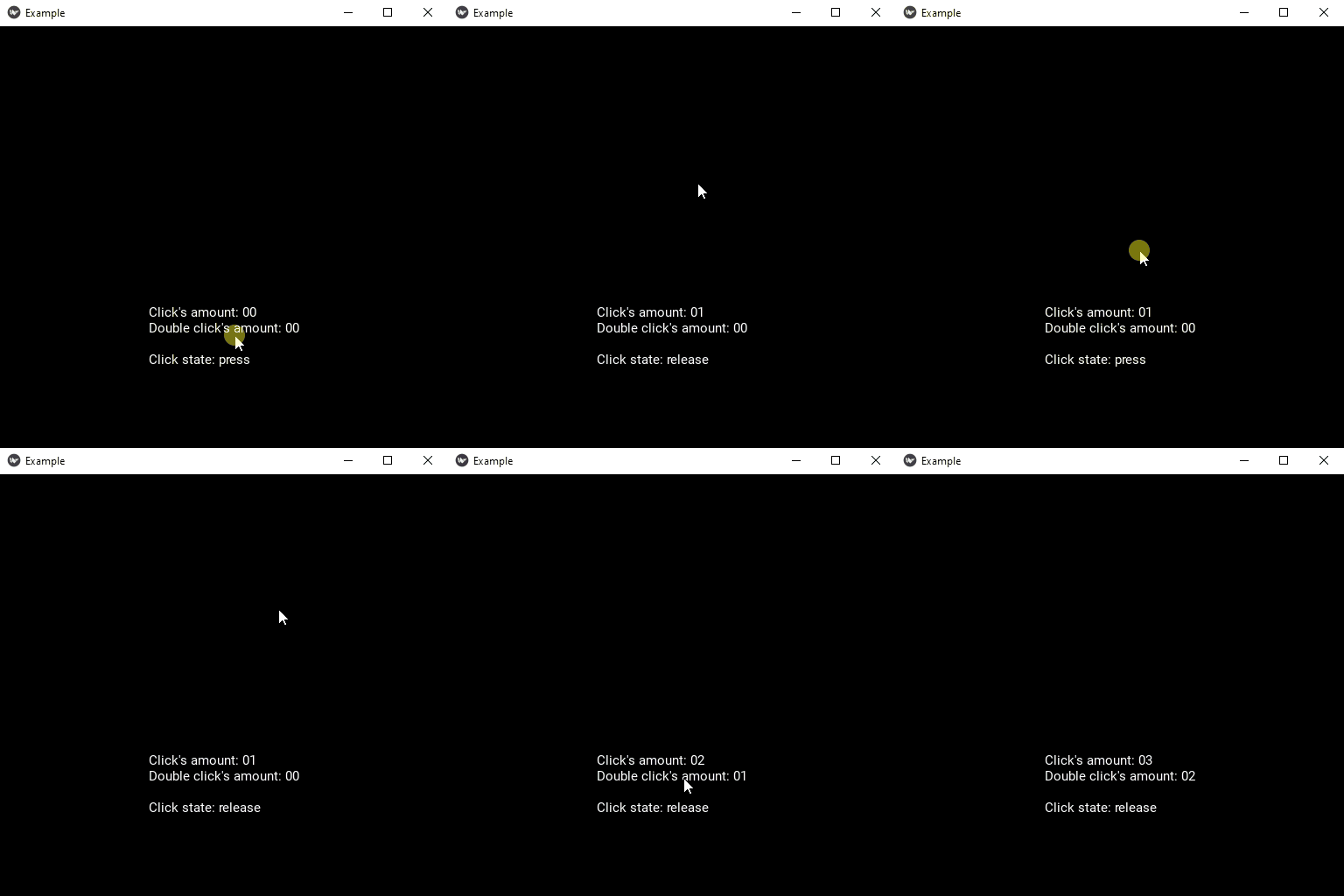
 1#// IMPORT
 2from kivy.uix.label import Label
 3
 4from kivydk.uix.behavior import ClickBehavior
 5
 6
 7#// LOGIC
 8class TestClick(ClickBehavior, Label):
 9    """ Each event updates the label text to reflect the current click state. """
10    def __init__(self, **kwargs):
11        super().__init__(**kwargs)
12
13        # Local variables
14        self.count_click = 0
15        self.count_double_click = 0
16        self.last_button_click = "-"
17        self.last_button_double_click = "-"
18
19        # Initialize the label text with default information
20        self.update_text()
21
22    def on_click(self, button, modifiers):
23        self.count_click += 1
24        self.last_button_click = button
25        self.update_text()
26
27    def on_double_click(self, button, modifiers):
28        self.count_double_click += 1
29        self.last_button_double_click = button
30        self.update_text()
31
32    def update_text(self):
33        """ Update the label text to display the current click information. """
34        single_click = f"Click's amount: %.2d" % self.count_click
35        double_click = f"Double click's amount: %.2d" % self.count_double_click
36        last_single_click = f"Last clicked button: %s" % self.last_button_click
37        last_double_click = f"Last double clicked button: %s" % self.last_button_double_click
38
39        self.text = f"{single_click}\n{double_click}\n\n{last_single_click}\n{last_double_click}"
40
41
42#// RUN FILE
43if __name__ == "__main__":
44    from kivydk.app import App
45
46    class Example(App):
47        def build(self):
48            return TestClick(size_hint_y=None, height=256)
49
50    Example().run()
Reference❖
- class ClickBehavior(**kwargs)❖
Bases:
objectA mixin that adds click and double‑click detection to any widget.
A click is recognized when a pointer is pressed and released inside the widget without leaving its bounds. Two valid clicks of the same pointer within
click_intervalform a double‑click.Note
This behavior does not provide
on_pressoron_releasecallbacks. If you require those events, inherit from Kivy’sButtonBehavioror KivyDK’sPressBehavior.Events
Todo
The current event implementation relies on
__events__being defined as a class attribute. This works for now, but it overrides inherited Kivy events.When revisiting the event system, consider migrating to
register_event_type()and updating the DocLang command to support dynamically registered events.on_clickCalled when the widget receives a valid pointer click.
on_double_clickCalled when two consecutive valid clicks occur within
click_interval.
- click_interval: NumericProperty❖
Maximum time
(in seconds)in which a second click is considered part of a double‑click.The sweet spot is between
0.2and0.3.Default value❖0.25
- on_click(button: str | None, modifiers: list[str]) None❖
Called when the widget receives a valid pointer click.
Parameters
Name
Description
button
The name of the pointer button that triggered the event, or
None.modifiers
A list of active modifier keys (e.g.
alt,ctrl,shift,numlock).
- on_double_click(button: str | None, modifiers: list[str]) None❖
Called when two consecutive valid clicks occur within
click_interval.Parameters
Name
Description
button
The name of the pointer button that triggered the event, or
None.modifiers
A list of active modifier keys (e.g.
alt,ctrl,shift,numlock).